 GitHub
01
Find the right market
Browse all markets plus Crypto, Sports, and Esports, then use search, filters, sorting, and your watchlist to focus quickly.
 Polytrader2
Browse Polymarket markets, manage local wallets, and use dedicated trading windows to review order books, charts, orders, and positions—all from one desktop app.
Loading latest version…
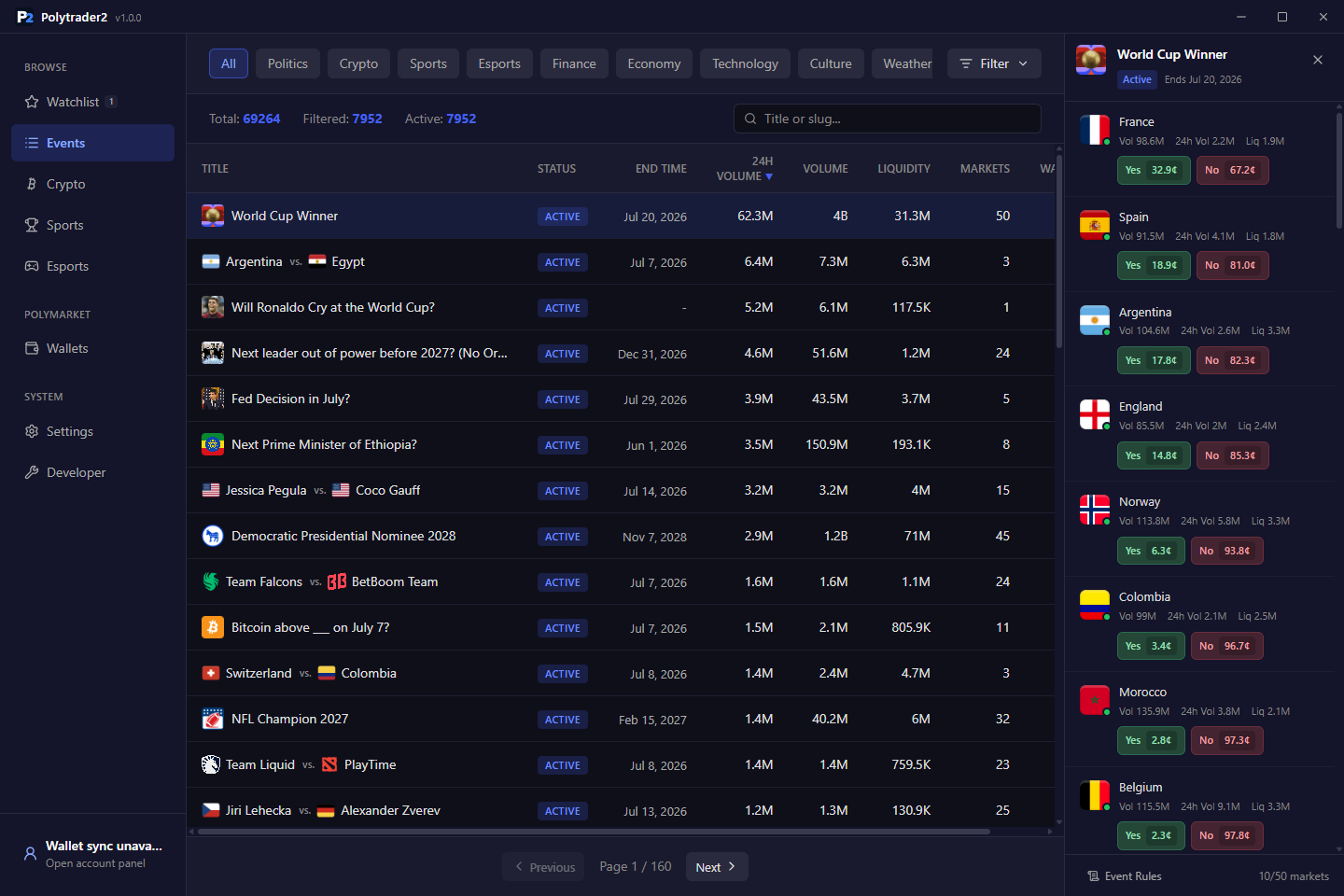
Move from market discovery to analysis, trading, and position management without switching between scattered tools.
Browse all markets plus Crypto, Sports, and Esports, then use search, filters, sorting, and your watchlist to focus quickly.
Open a focused trading window with a real-time order book, price chart, and recent trades.
Place limit or market orders, use post-only when needed, cancel open orders, and confirm important actions before submission.
Create or import multiple local wallets and review balances, orders, trades, and positions in one place.
How it works
A focused four-step workflow keeps the information and controls you need close at hand.
Search across categories, sort results, review market rules, and save the markets you follow.
Inspect the order book, price chart, and recent trades in a dedicated workspace.
Choose an order type, set the price and size, then confirm the order or cancellation.
Keep an eye on open orders, trade history, wallet balances, and current positions.
Local-first security
Private keys, recovery phrases, and trading credentials are encrypted on your device. Orders are signed locally, and important trading actions require your confirmation.
View source on GitHubSensitive wallet information is encrypted before it is stored on your device.
Order signing stays inside the desktop app, without exposing raw private keys to the interface.
Review important order and cancellation details before they are submitted.
Inspect the source code to understand how wallet data, signing, and trading actions are handled.
Strategy automation
Build strategies, run them locally, and keep every order, run, and log visible from one desktop workspace.
Create TypeScript strategies and keep their versions organized in one place.
Run strategy bots locally in an isolated environment you control.
Inspect generated orders, run history, and logs with a clear audit trail.
FAQ
Polytrader2 is an independent, open-source desktop client for browsing Polymarket markets, managing local wallets, and placing manual trades.
You can search and filter markets, open dedicated trading windows, place and cancel manual orders, and review wallet balances, orders, trades, and positions.
Current releases support Windows x64 and macOS on Apple Silicon.
Private keys, recovery phrases, and trading credentials are encrypted on your device, and orders are signed locally.
Installers and release notes are published on the Polytrader2 GitHub Releases page.
No. Polytrader2 is an independent open-source project and is not affiliated with or endorsed by Polymarket.